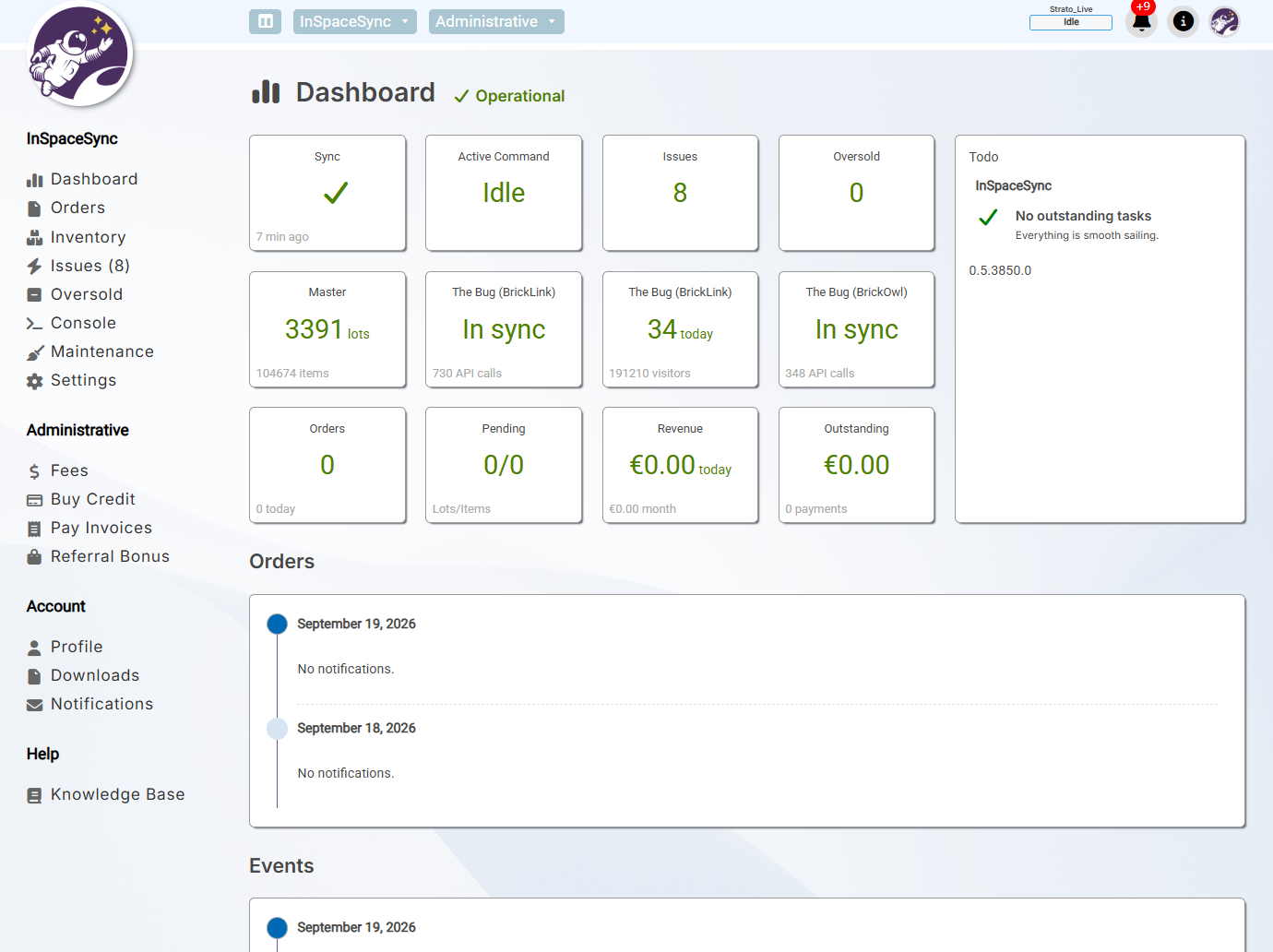
View synchronization status and pick orders through the web portal.
Choose how it works
Start read-only, enable Full Sync when you need it
The same InSpaceSync service can provide safe read-only data for daily store work or
actively synchronize inventory as a paid service.
Free
Read-only mode
Retrieve orders and inventory information for order picking and store insights
without allowing InSpaceSync to change marketplace inventory.
Order picking and store insights
Reads marketplace information
No marketplace inventory changes
Paid service
Full Sync
Process orders and manual changes automatically while keeping inventory aligned
between supported marketplaces.
Automatic inventory synchronization
Inventory history, backups, and snapshots
Local or hosted operation
More than synchronization
Protect the inventory behind your business
InSpaceSync records what happens, keeps recoverable copies, helps process orders, and
tells you when something needs attention.
Synchronize inventory
Keep inventory aligned between supported marketplaces after orders and manual changes.
Edit inventory through BrickLink, BrickOwl, or BLS Manager
Detect oversold items and synchronization issues
Use Full Sync locally or as a hosted service
Track every change
Follow stock, sales, and price history with an audit trail of inventory changes.
Review lot and inventory history
See when and where changes were made
Investigate unexpected inventory differences
Backups and snapshots
Protect store data with automatic backups and snapshots taken before changes.
Customizable backup intervals
Keep multiple previous backups
Roll back an unwanted inventory change
Pick orders anywhere
Use the browser-based order picker on a phone, tablet, or computer.
Pick one or several orders at the same time
Work together with multiple people
Use the web portal or BLS Manager
Reports and notifications
Stay informed about store activity, synchronization health, and items requiring attention.
Email, Slack, and Discord notifications
Daily, weekly, or monthly reports
Repeat notifications for important events
Tools for power users
Use the InSpaceSync Console for detailed management and troubleshooting.
Manage inventory and synchronization
Create or restore backups
Generate reports and diagnose issues
Available in your browser
See what InSpaceSync is doing
The web portal provides remote access to local and hosted InSpaceSync instances. View
status, inspect activity, and pick orders from a phone, tablet, or desktop browser.
These requirements apply when you operate InSpaceSync on your own Windows computer or
server. Hosted instances do not require a local server.
Windows 10, 11, or Windows Server
64-bit multicore processor and 8 GB RAM
10 GB available SSD space, plus room for inventory growth and backups
Reliable, continuous internet connection and 24/7 uptime
.NET Framework 4.8, .NET 10 and Microsoft Visual C++ Redistributable
Microsoft SQL Server 2019 or 2022
Administrator privileges for installation and service setup
Good to know
Frequently asked questions
What is InSpaceSync?
InSpaceSync is a background service that reads marketplace data and, in Full Sync mode, keeps supported marketplace inventories synchronized. It integrates with BLS Manager and can also be accessed through the web portal.
What can I use for free?
Read-only mode is free and provides the marketplace information used for order picking and store insights. It does not make inventory changes in your stores.
What does the paid Full Sync service add?
Full Sync actively updates inventory and keeps supported marketplaces aligned after orders or manual inventory changes. Current pricing and service details are available on the dedicated InSpaceSync website.
Which marketplaces are supported?
InSpaceSync currently synchronizes inventory between BrickLink and BrickOwl.
Do I need BLS Manager?
BLS Manager provides the full Windows desktop experience and integrates closely with InSpaceSync. The web portal can also be used to view status and pick orders from a phone, tablet, or browser.
Should I choose local or hosted InSpaceSync?
A local installation gives you control over the Windows computer, SQL Server, updates, and backups. A hosted instance is managed by InSpace Software and is the easier option when you do not want to maintain an always-on system yourself.
Does a local installation need to remain online?
Yes. A local Full Sync installation should remain running and connected to the internet 24/7 so orders and inventory changes can be processed reliably.
Where can I see whether the service is operational?
The InSpace Software status page shows the current status of hosted services and related infrastructure.
Get started
Choose the way you want to run InSpaceSync
Start a hosted instance, install it locally with BLS Manager, or sign in to an existing instance.