
Scheduled or manual
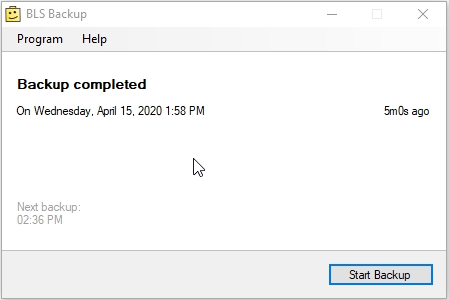
Create a backup with one click or configure the application to do it daily.
- Daily scheduled backups
- On-demand backup button
- User-selected backup folder
BrickLink inventory backup utility
Create local backups of your BrickLink store inventory with a small Windows tray application. Schedule a daily backup or create one whenever you need it.
Product status
BLS Backup is an older completed utility. It remains available as a free download, but no regular feature development is planned.
Small and focused
BLS Backup stays out of the way and concentrates on creating recoverable BrickLink inventory backup files.
Create a backup with one click or configure the application to do it daily.
Connect through the official BrickLink API without giving the application your password.
Keep BLS Backup running in your Windows notification area while you work.
Getting started
Once configured, the application can start with Windows and create backups in the background while it remains available from the system tray.
Emergency recovery
BLS Backup includes older comparison and restoration tools. For emergency inventory recovery, we recommend using InSpaceSync and contacting Support when assistance is needed.
Installation
BLS Backup is a small 64-bit Windows Forms application. Backup storage requirements depend on the size of your inventory and the number of files retained.
Good to know
Yes. BLS Backup remains available to download and use free of charge.
No. BLS Backup is an older completed utility and is not under active development. The current version remains available for users who need a straightforward BrickLink inventory backup tool.
BLS Backup creates local backup files of your BrickLink store inventory. A backup can be created manually or according to a daily schedule.
BLS Backup uses BrickLink API keys. It does not need to store or use your BrickLink account password.
No. It is a normal Windows application that runs in the notification area or system tray while you are signed in. It can optionally start when you log on to Windows.
You choose the folder in which BLS Backup stores its backup files. Make sure the selected location has enough free space for the number of backups you want to retain.
BLS Backup contains older comparison and restoration functionality, but we recommend using InSpaceSync for emergency inventory recovery. Contact InSpace Software Support if you need help planning or performing a restoration.
No. BLS Backup only creates BrickLink inventory backups. Use InSpaceSync when you need automatic inventory synchronization between supported marketplaces.
Download only
BLS Backup remains available free of charge for Windows x64.