
Stay organized
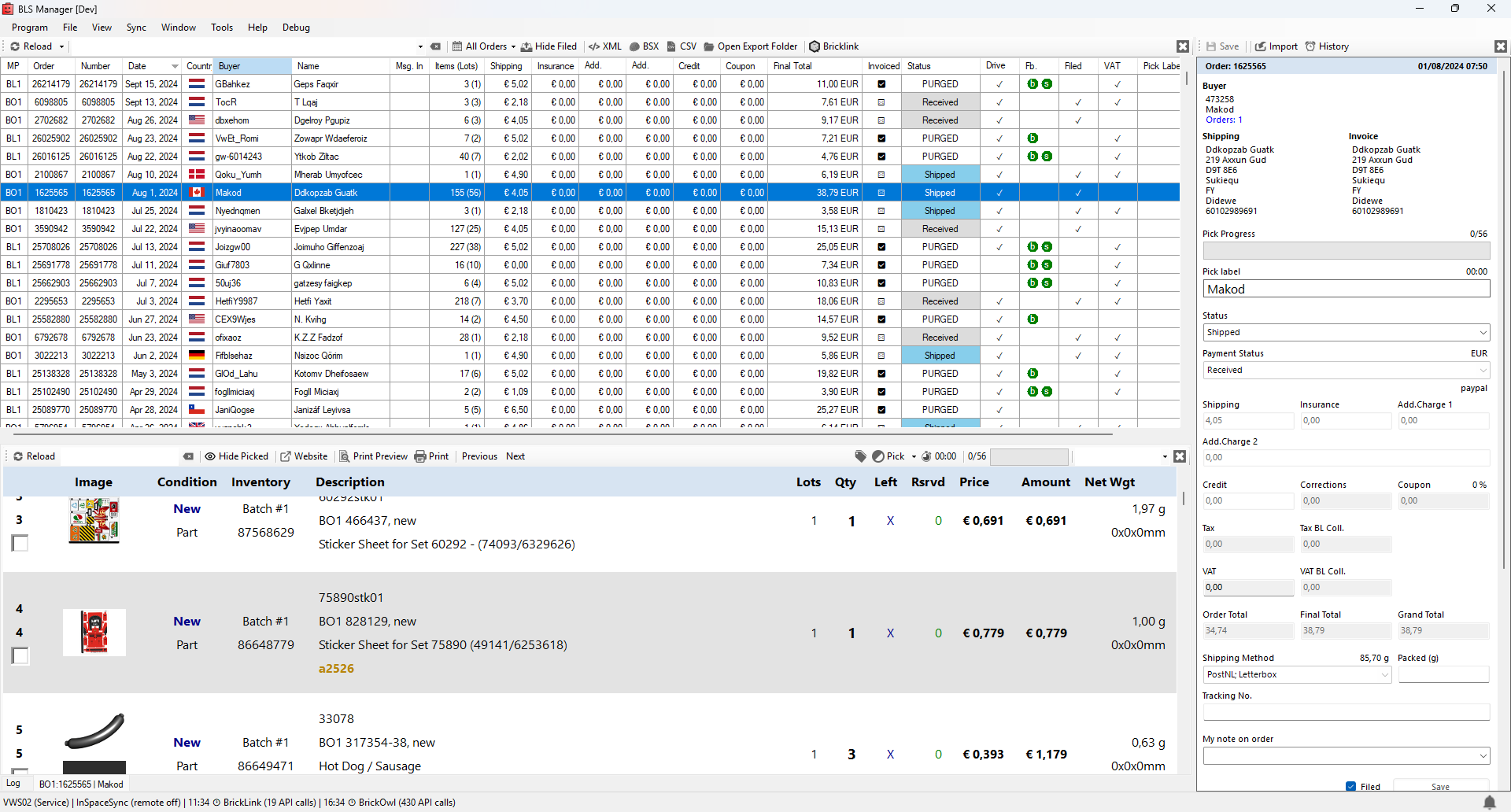
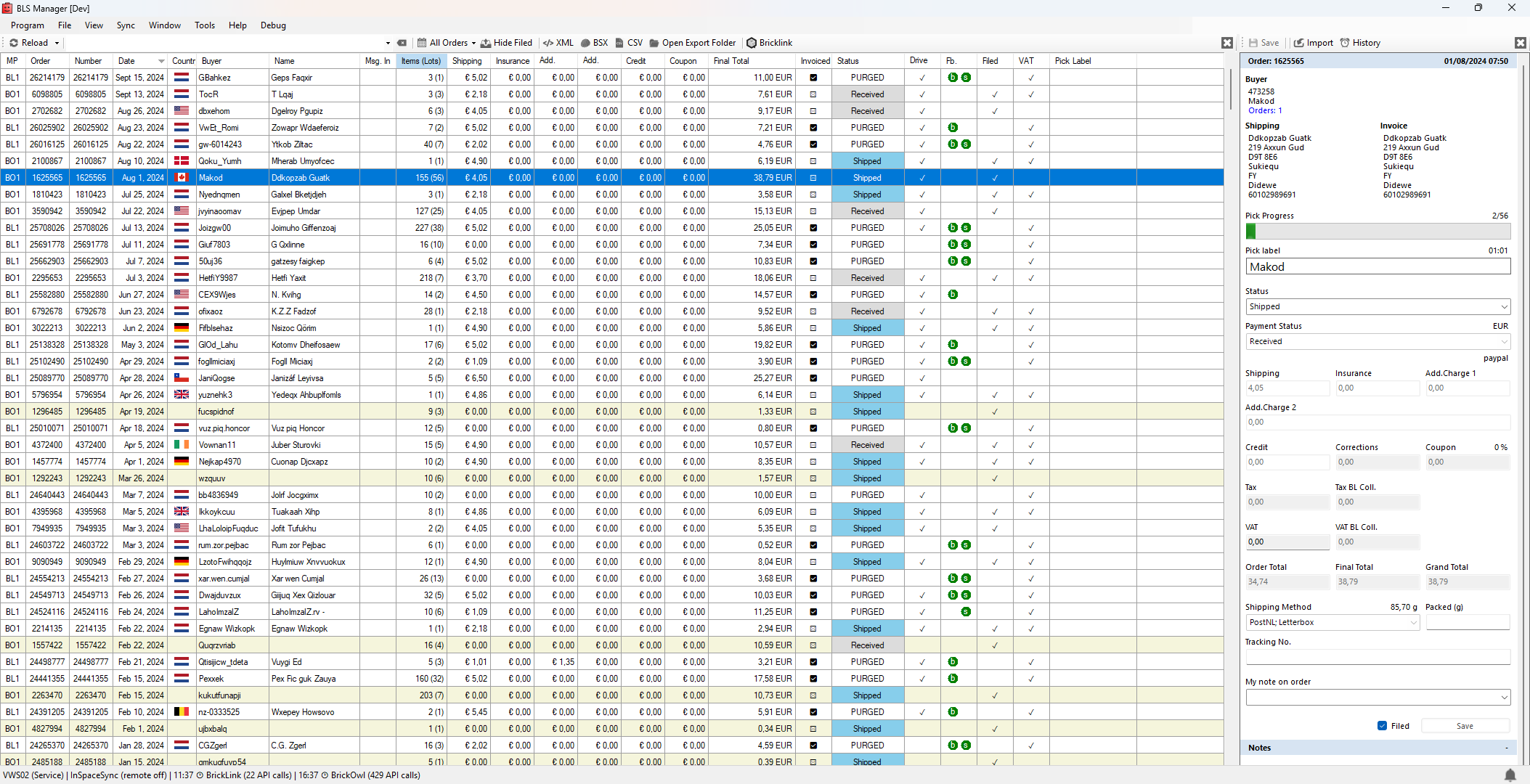
See all your orders in one color-coded, searchable, and customizable overview.
- Messages, feedback, and actionable tasks
- Custom columns, colors, and advanced searches
- Notifications for new orders, payments, and status changes
Free store management for Windows
Manage orders, pick efficiently, communicate with customers, and understand how your BrickLink and BrickOwl store is performing—all from one Windows application.
Daily store work
BLS Manager brings orders, picking, communication, tasks, and store information into one workspace, so you can spend less time switching between separate tools.
See all your orders in one color-coded, searchable, and customizable overview.
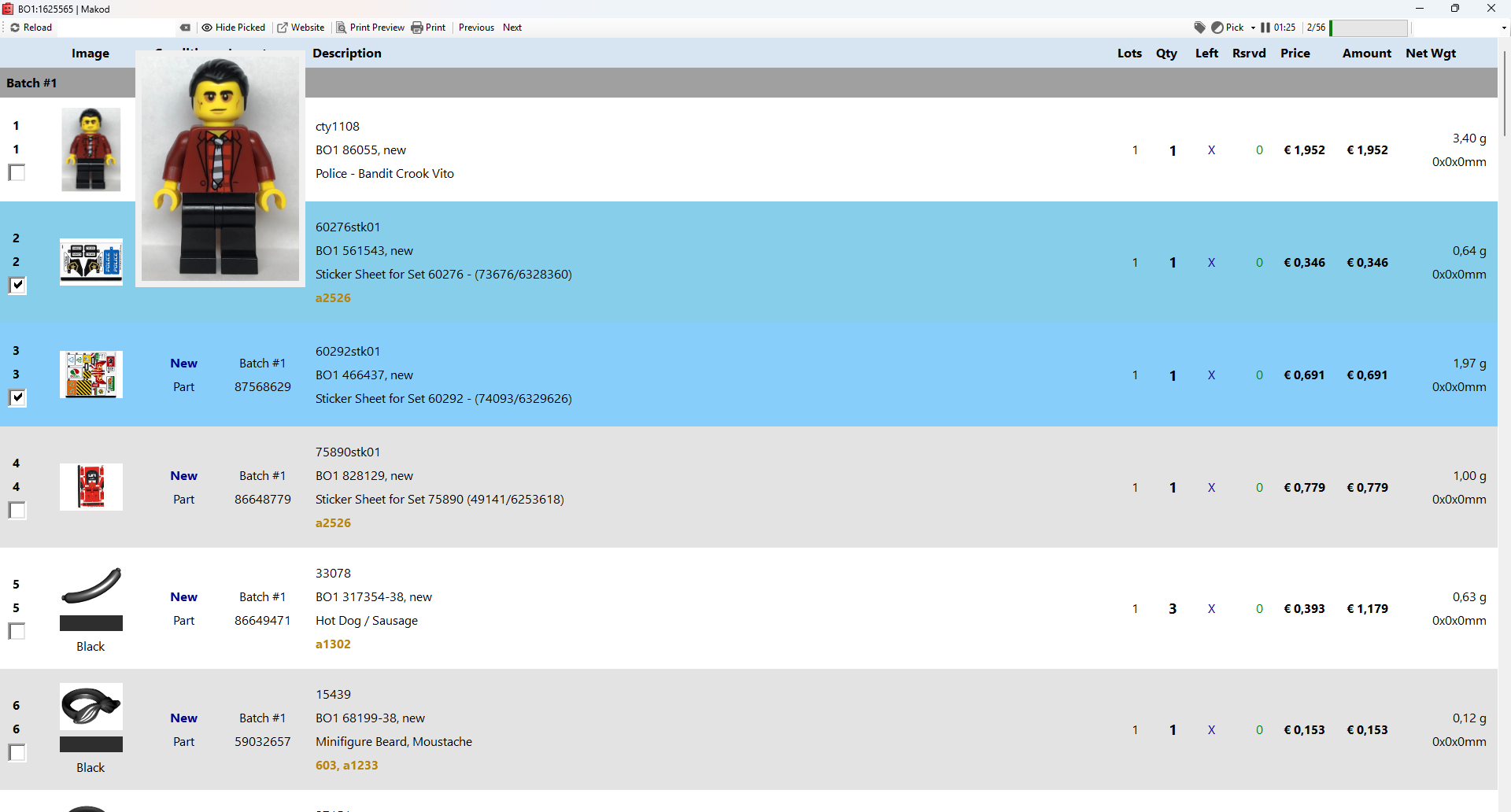
Pick a single order or work through several orders together from one clear view.
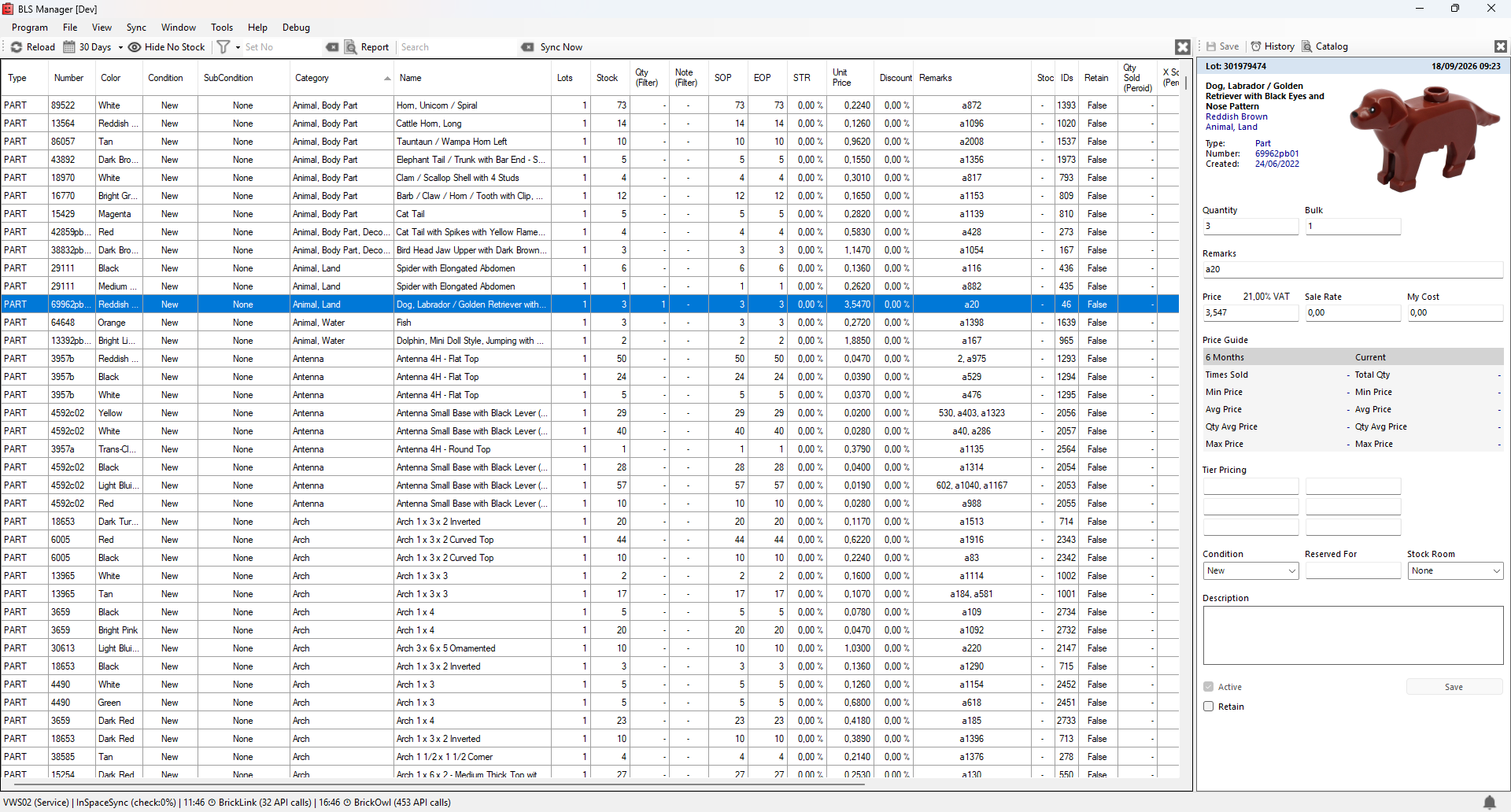
Use clear charts and totals to see how your store and inventory are performing.
A closer look
Use the overview for planning, open the focused picking view while working, and return to the dashboards when you want to understand the bigger picture.
Working together
BLS Manager is the application you work in. InSpaceSync runs in the background and provides marketplace data, with optional Full Sync when you want automatic inventory synchronization.
Free
InSpaceSync reads the marketplace information BLS Manager needs for order picking and insights, without making inventory changes in your stores.
Paid service
Full Sync actively keeps supported marketplace inventories aligned after orders and manual changes. It can run locally or as a hosted service.
BLS Manager is free to download and use. The optional paid service is InSpaceSync Full Sync, which adds automatic inventory synchronization.
Installation
BLS Manager is a 64-bit Windows desktop application and stores its local information in Microsoft SQL Server.
Good to know
Yes. BLS Manager is free to download and use. Automatic inventory synchronization is available separately through the paid InSpaceSync Full Sync service.
InSpaceSync is the background service used by BLS Manager to read marketplace data. It can run in free read-only mode or in paid Full Sync mode for automatic inventory synchronization.
No. BLS Manager and InSpaceSync read-only mode can be used without a paid subscription. You only need the paid service when you want Full Sync to update and synchronize marketplace inventory automatically.
No. Read-only mode retrieves the information needed for order picking and insights without making inventory changes on your marketplaces.
BLS Manager currently integrates with BrickLink and BrickOwl.
Yes. BLS Manager supports picking one or multiple orders and can be used in a network setup by multiple people.
Visit the InSpace Software Support page for the Service Desk, community support, frequently asked questions, and remote support options.
Get started
Download BLS Manager for Windows, or visit Support if you need help getting started.